
Updated 26th August 2026
If you search for the “Algorand Wallet,” you may find old instructions that no longer match the current app.
Algorand Wallet was renamed Pera Wallet in 2022. Since then, its setup process and account structure have changed.
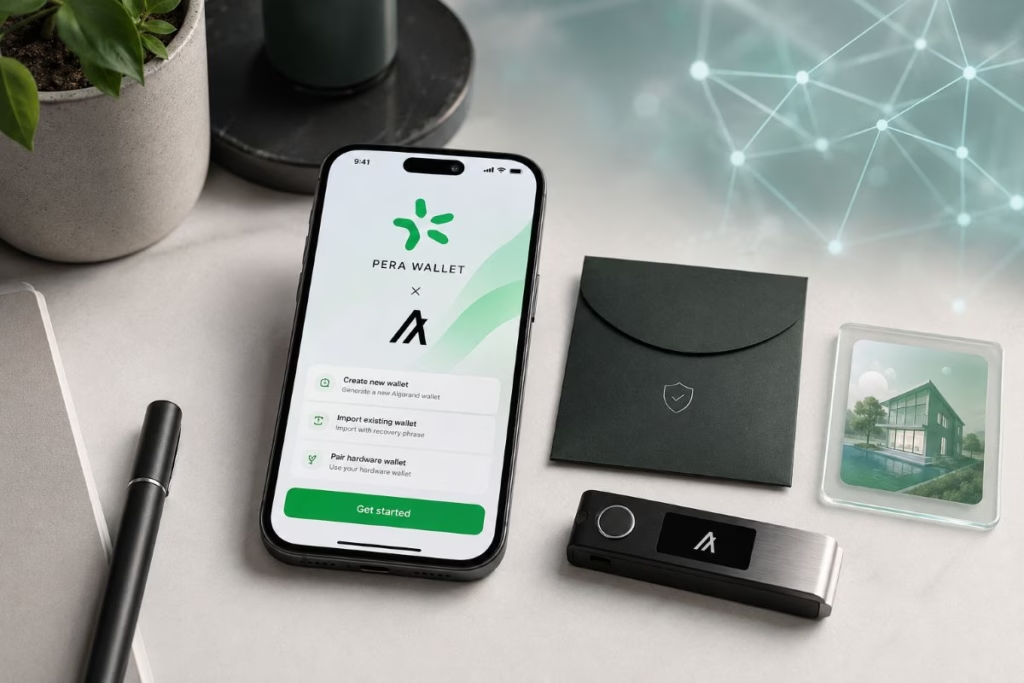
This guide explains how to set up Pera Wallet safely in 2026. It also covers recovery phrases, network fees, Algorand Standard Assets and test transfers.
Pera is a self-custody wallet. Therefore, you control the account and its assets. However, you also carry full responsibility for protecting access.
There is no password-reset department that can restore a lost recovery phrase.
Important: This guide is for educational purposes. Never send funds or approve a transaction unless you understand what will happen.
TL;DR: How to Set Up Pera Wallet Safely
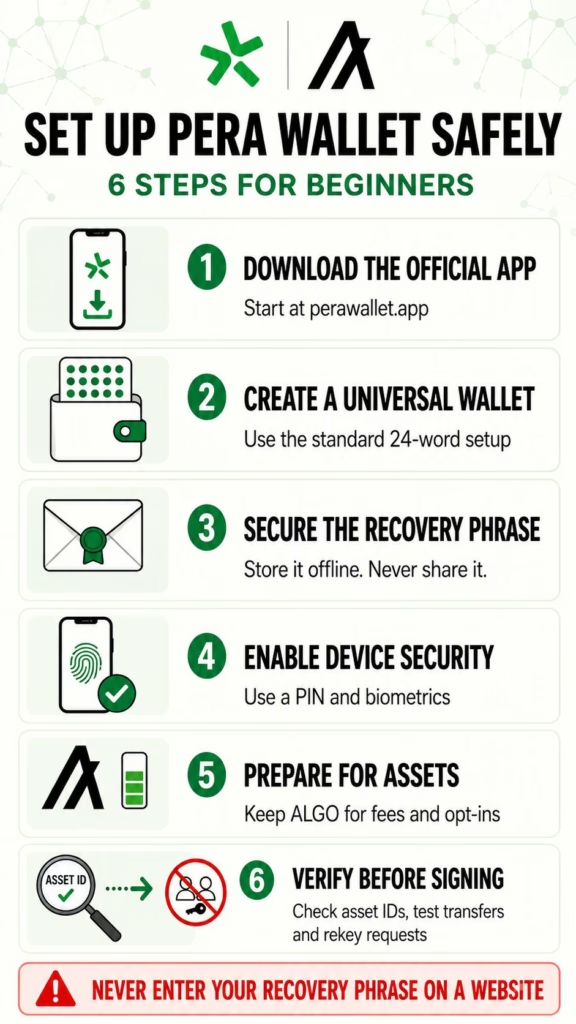
- Download Pera Wallet through the official Pera website.
- Create a new Universal Wallet unless you specifically need a legacy account.
- Store the 24-word recovery phrase securely.
- Never enter that phrase on a website or share it with support.
- Enable a PIN and biometric protection on your device.
- Copy your Algorand address instead of typing it manually.
- Keep a small ALGO balance for minimum-balance requirements and fees.
- Verify the asset ID before opting into an Algorand token.
- Send a small test amount before transferring larger values.
- Read every transaction before approving it.
What Is Pera Wallet?
Pera Wallet is an open-source, self-custodial wallet built for the Algorand ecosystem.
It allows users to manage:
- ALGO, the native asset of Algorand
- Algorand Standard Assets, commonly called ASAs
- NFTs issued on Algorand
- connections to decentralized applications
- multiple Algorand accounts
- supported Ledger hardware-wallet accounts
Pera does not hold your assets like a bank or centralized exchange.
Instead, it provides an interface for managing accounts that exist on the Algorand blockchain. Your recovery phrase controls access to those accounts.
Pera started life as Algorand Wallet. Nevertheless, it should not be described as the only “official Algorand wallet.”
The Algorand ecosystem also includes options such as Defly and Exodus. Pera remains a practical beginner choice because it focuses heavily on Algorand and provides mobile and web access.
Pera Wallet vs an Algorand Account
The distinction between a wallet and an account confuses many beginners.
Pera Wallet is the application installed on your device. An Algorand account exists on the blockchain.
You can manage several Algorand accounts inside one wallet application. Furthermore, deleting the app does not delete those blockchain accounts.
You can recover them when you still possess the correct recovery phrase.
However, Pera cannot recover an account if you lose that phrase. This is one of the central realities of self-custody.
What You Need Before Starting
Prepare the following before creating your wallet:
- a supported smartphone with current security updates
- access to the official Pera website
- a private location where nobody can view your screen
- a secure method for recording your recovery phrase
- enough uninterrupted time to finish the backup process
Do not create the wallet while screen sharing, recording your screen or using an unfamiliar device.
Avoid public Wi-Fi where possible. More importantly, never create a wallet on a phone you believe may contain malware.
Step 1: Download the Official Pera Wallet App
Start at the official Pera Wallet website.
Use its links to reach the correct Apple App Store or Google Play Store listing. This reduces the risk of downloading an imitation app.
Check the following before installing:
- the app name is Pera Algo Wallet
- the developer information matches the official listing
- the link came from the genuine Pera domain
- the app does not request your existing recovery phrase during installation
Do not rely entirely on an app-store search. Scam applications sometimes copy wallet names, logos and descriptions.
Step 2: Create a New Wallet
Open the app and select the option to create a wallet.
The wording may change as Pera updates its interface. However, the current process generally asks new users to choose I want to create a wallet and then Create a new wallet.
Pera now supports two account structures:
Universal Wallet
A Universal Wallet uses a 24-word BIP-39 recovery phrase. It can manage multiple Algorand accounts from one backup phrase.
This is the standard choice for most new users.
Legacy Algo25 Account
Older Algorand accounts commonly use a 25-word recovery passphrase.
Do not create a legacy account unless you have a specific compatibility reason. If you already own one, use the import or recovery option instead of creating another wallet.
Pera’s current account-creation guide explains the distinction between Universal and legacy accounts.
Step 3: Protect Your Recovery Phrase
Pera will generate a recovery phrase during setup.
This phrase is the master key to your wallet. Anyone who obtains it may control the associated accounts and assets.
Write the words down accurately and preserve their correct order.
Never:
- send the phrase through email or messaging apps
- store it in an ordinary cloud document
- take a screenshot
- photograph it with your phone
- paste it into a website
- share it with Pera support
- give it to someone offering investment help
- type it into an app you have not verified
For stronger physical protection, consider storing it on durable material inside a secure location. Keep any additional copy somewhere separate from the first.
Do not invent clever changes to the word order unless you have a reliable recovery plan. A complicated backup system can lock out its owner as effectively as a thief.
Pera states clearly that staff will never ask for your recovery phrase. Its phishing and scam guidance also warns users never to enter the phrase on a website.
Step 4: Verify the Recovery Phrase
The app may ask you to confirm selected words from the recovery phrase.
This step checks whether you recorded it correctly. Take your time and compare each requested position with your backup.
Do not continue if anything looks wrong.
A single incorrect word or incorrect position could prevent future recovery.
Once verified, return the backup to its secure location. Do not leave it beside your computer or inside your phone case.
Step 5: Name the Account
Pera will ask you to give the account a name.
This name acts only as a label inside your wallet. It does not appear on the blockchain and does not replace your public address.
Use a simple description such as:
- Main Account
- Tokenized Assets
- Test Wallet
- Ledger Account
Avoid placing sensitive personal information in the name.
Separating experimental activity from long-term holdings can also reduce risk. A wallet regularly connected to unfamiliar applications should not hold everything you own.
Step 6: Enable a PIN and Biometrics
Create a strong PIN and enable biometric protection when available.
These controls help stop someone from opening the app on your phone. However, they do not replace the recovery phrase.
Your PIN:
- protects access to the app on that device
- does not recover your blockchain account
- does not work as a backup
- cannot restore funds after losing your phone
Your recovery phrase provides account recovery. The PIN simply protects the local application.
Confusing these two functions is a serious beginner mistake.
Step 7: Find Your Algorand Address
Open the account and locate its public Algorand address.
You can safely share this address when someone needs to send you ALGO or an Algorand asset. It does not provide access to your funds.
Use Pera’s copy or QR-code function. Avoid typing the address manually.
Before sending anything, compare the beginning and end of the copied address with the one displayed in Pera. Clipboard malware can sometimes replace copied cryptocurrency addresses.
Your public address is safe to share. Your recovery phrase and private keys are not.
Step 8: Add a Small Amount of ALGO
You can create an empty Pera Wallet without purchasing ALGO. Nevertheless, normal on-chain activity requires a small ALGO balance.
ALGO covers:
- network transaction fees
- the account’s minimum-balance requirement
- asset opt-ins
- certain application interactions
When withdrawing ALGO from an exchange, select the Algorand network.
Do not choose Ethereum, Polygon, Solana or another network simply because the exchange offers an asset with a similar name.
Next, paste your Pera address and review it carefully. Send a small test amount first.
Wait until the test appears in Pera before transferring the remainder.
Algorand transactions usually settle quickly. However, an exchange may delay withdrawals because of its own processing system.
Step 9: Understand Fees and Minimum Balances
Algorand fees are generally low, but “low” does not mean nonexistent.
The protocol’s minimum transaction fee is currently 0.001 ALGO. A basic account also has a 0.1 ALGO minimum-balance requirement.
Opting into an additional Algorand Standard Asset normally increases that requirement by another 0.1 ALGO.
For example, an account holding ALGO and opted into one ASA would generally require a minimum balance of at least 0.2 ALGO. It also needs enough additional ALGO to pay transaction fees.
The minimum balance is not the same as a fee. It remains in the account but cannot be spent while the requirement applies.
Algorand publishes these values in its current protocol parameters.
Keep a small buffer rather than trying to empty the account completely.
Step 10: Receive Algorand Standard Assets Safely
An Algorand Standard Asset is a token issued on Algorand.
ASAs can represent stablecoins, utility tokens, NFTs or tokenized investment interests. However, the token name alone proves nothing about authenticity.
Before receiving an ASA, an account normally needs to opt into that specific asset.
The opt-in requirement helps prevent random assets from appearing automatically. It also increases the account’s minimum-balance requirement.
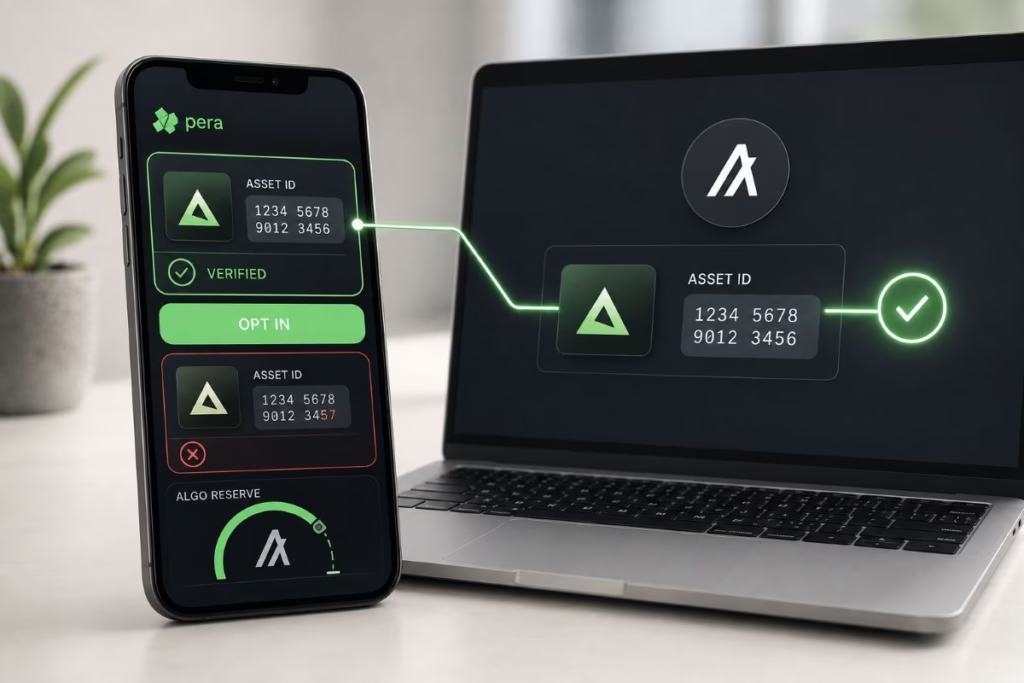
Before approving an opt-in:
- Obtain the asset ID from the issuer’s official website or documentation.
- Compare the complete ID with the one shown in Pera.
- Check whether the asset has verified status.
- Confirm that you have enough ALGO available.
- Reject unexpected assets or requests.
Scammers can create tokens with names and symbols that copy genuine assets. Therefore, verify the asset ID rather than trusting the display name.
Algorand’s ASA documentation explains the opt-in and minimum-balance model.
Step 11: Connect Pera Wallet to a dApp
Some Algorand applications allow you to connect through Pera or WalletConnect.
Connecting usually lets the application view your public address and request transactions. It should not reveal your recovery phrase.
However, connection does not make every requested transaction safe.
Before signing, review:
- the application’s URL
- the account being used
- the asset and amount
- the destination address
- the network fee
- every transaction inside a grouped request
- whether the request contains an unexpected rekey operation
If you do not understand a transaction, reject it.
A legitimate application does not need your recovery phrase. It sends a transaction request to Pera, where you review and approve or reject it.
Disconnect the wallet when you finish. This ends the active session, although it cannot reverse transactions you already signed.
Why Rekey Transactions Require Special Attention
Algorand supports account rekeying.
Rekeying allows an existing public address to remain unchanged while a different private key gains authority to sign transactions.
This feature can strengthen security. For example, a user may rekey an account to a Ledger hardware wallet.
Unfortunately, a malicious rekey transaction can also hand control to an attacker.
Never approve a rekey request unless you deliberately started the process and understand the destination account.
If an unexpected transaction contains the word rekey, reject it immediately.
Should You Use a Hardware Wallet?
A mobile wallet may be suitable for learning and holding smaller amounts. However, larger holdings deserve stronger protection.
Pera supports compatible Ledger devices. The private keys remain protected by the hardware wallet, while Pera provides the interface.
You must approve outgoing transactions on the Ledger device.
A hardware wallet does not remove every risk. You can still approve a malicious transaction or lose its recovery phrase.
Buy hardware wallets from the manufacturer or another trusted source. Never use a device that arrives with a recovery phrase already written down.
Pera provides separate instructions for pairing supported Ledger devices.
Using Pera Wallet With Tokenized Assets
Algorand has been used to issue digital assets linked to real-world investments.
For example, Lofty uses Algorand infrastructure for its tokenized property shares. Lofty states that eligible shares can be held in self-custody wallets such as Pera or Defly.
However, holding a token does not automatically mean you directly own the underlying building.
Legal agreements determine whether a token represents:
- an ownership interest
- a company membership
- income rights
- a contractual claim
- another form of economic exposure
Read our plain-English explanation of tokenization before assuming the blockchain record tells the complete legal story.
You can also examine the platform’s fees, structure and risks in our Lofty review for 2026.
Pera Wallet is a custody tool. It does not establish whether an investment is legitimate, liquid or legally enforceable.
Common Pera Wallet Mistakes
Downloading an imitation app
Always begin from the official Pera website. A familiar logo does not prove authenticity.
Confusing 24-word and 25-word accounts
New Universal Wallets generally use 24 words. Legacy Algo25 accounts use 25. Record exactly what your wallet provides.
Saving the recovery phrase as a screenshot
Screenshots can enter cloud backups or become accessible to compromised applications.
Believing the PIN can recover the wallet
The PIN protects the app on one device. It cannot restore your blockchain accounts.
Sending assets over the wrong network
Pera manages Algorand assets. Confirm the withdrawal network before sending from an exchange.
Trusting an asset name
Duplicate names and symbols are easy to create. Verify the ASA ID through the genuine issuer.
Spending all available ALGO
Your account requires ALGO for minimum balances and transaction fees. Leave a reasonable buffer.
Skipping the test transfer
Blockchain transfers are normally irreversible. A small test can expose an address or network mistake before it becomes expensive.
Signing without reading
A wallet protects keys, but it cannot protect someone who approves a malicious transaction.
What Happens if You Lose Your Phone?
Install Pera on a trusted replacement device and choose the recovery or import option.
Enter the correct 24-word or 25-word recovery phrase inside the verified Pera application.
Your accounts and blockchain history should then become accessible again.
If you lose both the device and recovery phrase, Pera cannot restore access.
What Should You Do if Your Recovery Phrase Is Exposed?
Treat the wallet as compromised.
Create a new account using a clean, trusted device. Record a completely new recovery phrase and transfer the assets to the new address.
Do not continue using an exposed phrase simply because nothing has disappeared yet.
Rekeying may offer another route for advanced users, particularly when assets or contracts remain tied to an existing address. However, do not attempt it without understanding how authorization changes.
Can You Use MetaMask With Algorand?
In 2026, certain Algorand applications can support EVM wallets through xChain Accounts. Supported options may include MetaMask, Rabby and Coinbase Wallet.
This does not mean every Algorand application or asset works natively inside MetaMask.
Pera remains the more direct beginner option for managing native ALGO and Algorand Standard Assets.
If you also use Ethereum, Polygon or other EVM networks, read our separate guide explaining how to set up MetaMask safely.
Pera Wallet Security Checklist
Before adding meaningful funds, confirm that you have:
- downloaded the app through the official website
- recorded every recovery word in the correct order
- stored the phrase away from internet-connected devices
- enabled a PIN and biometric protection
- understood that the PIN cannot recover the account
- verified your public address
- sent a small test transaction
- kept enough ALGO for fees and minimum balances
- checked each ASA’s exact asset ID
- reviewed every transaction before signing
- rejected unexpected rekey requests
- considered a hardware wallet for larger holdings
Frequently Asked Questions
Is Pera Wallet the same as Algorand Wallet?
Pera Wallet is the renamed and updated version of the former Algorand Wallet. The rebrand took place in 2022.
Is Pera Wallet free?
The application is free to download. However, normal blockchain transactions require small network fees, and Algorand accounts have minimum-balance requirements.
Does Pera control my funds?
No. Pera is a self-custodial wallet. The recovery phrase controls access to the associated blockchain accounts.
Can Pera recover my lost phrase?
No. Pera cannot replace or recover a lost self-custody recovery phrase.
Is my Algorand address private?
No. Your public address can be shared with people or platforms sending you assets. Never share the recovery phrase or private key.
Why do Algorand assets require an opt-in?
Opting in gives the account permission to receive a specific ASA. It helps reduce unwanted assets and increases the account’s minimum-balance requirement.
Do I need ALGO before receiving another Algorand token?
Normally, yes. You generally need ALGO to meet the asset opt-in’s minimum-balance requirement and pay the associated transaction fee.
Do I need Pera Wallet to use Lofty?
Not necessarily. Lofty offers its own wallet structure, while eligible shares may also support self-custody through an Algorand wallet. Follow Lofty’s current transfer instructions before moving any property tokens.
Should I keep all my assets in one Pera account?
Probably not. Separating long-term holdings from experimental dApp activity can limit the damage caused by a malicious approval or compromised account.
Final Thoughts
Learning how to set up Pera Wallet is not difficult. Protecting it properly requires more discipline.
The recovery phrase matters more than the app PIN. The asset ID matters more than a token’s name. A test transfer matters more than saving a few seconds.
Start with a small amount. Learn how Algorand addresses, ASAs and minimum balances work before adding significant value.
A wallet gives you control. It does not remove investment, platform or legal risk.
For the wider process, continue with our step-by-step guide to buying tokenized assets.